Enforce Device Integrity
Evaluate iOS device integrity and enforce organizational security policies through the MDM enforceDeviceIntegrity restriction key.
Configuration
Device integrity enforcement is controlled by the enforceDeviceIntegrity MDM restriction key.
Existing deployments may continue using the deprecated blockJailbrokenDevices key as a fallback. When both keys are present, enforceDeviceIntegrity takes precedence.
- Type: Boolean, number, or string (parsed as boolean)
- Default when absent:
false - Platform: iOS only
This restriction has no effect on macOS or visionOS. Vylos currently evaluates this managed integrity policy on iOS only.
Block Behavior
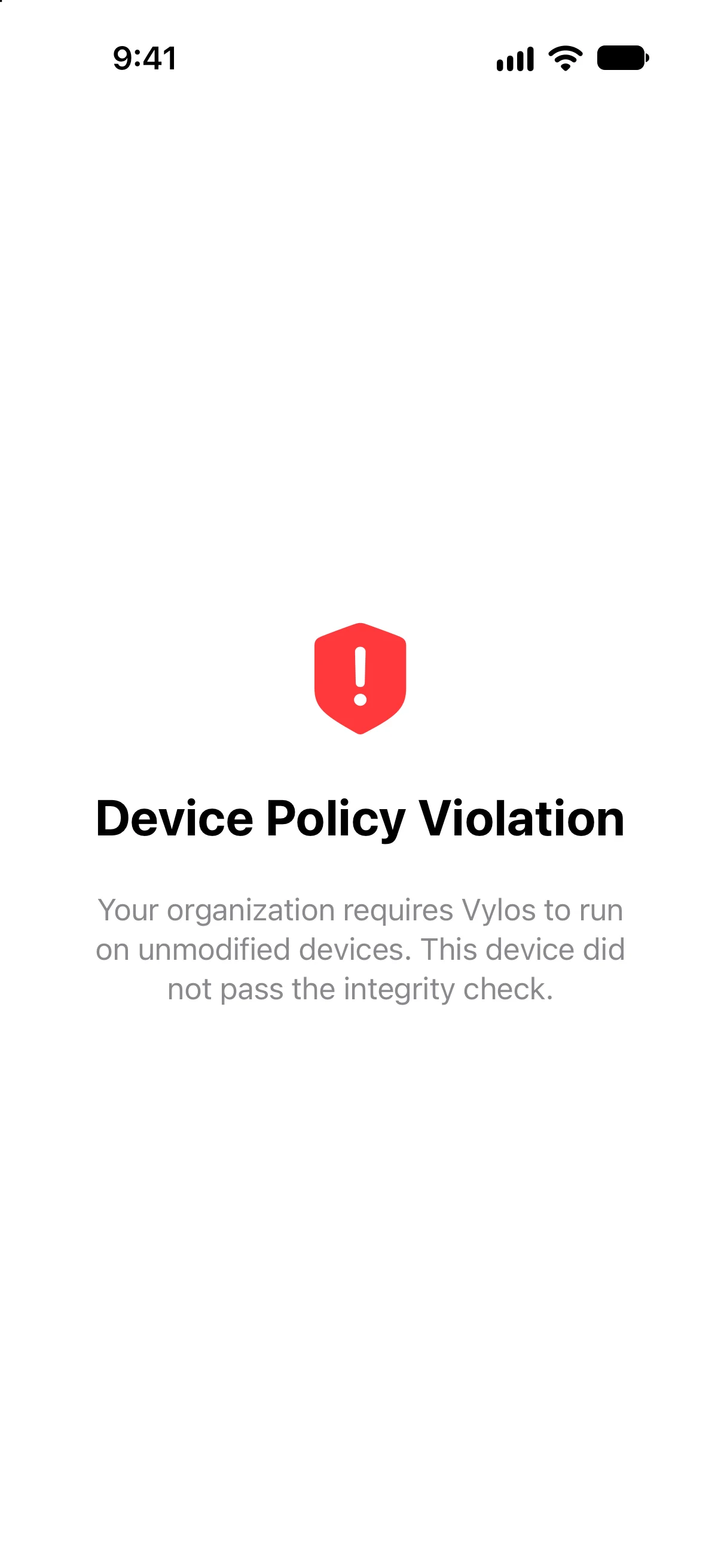
When enforceDeviceIntegrity is set to true and the device fails an integrity check, Vylos fails closed. The app displays a full-screen block view titled "Device Policy Violation."
The policy message explains that the organization requires Vylos to run on an unmodified device. The user can't dismiss the block screen.
At the same time, Vylos:
- Disconnects every active Vylos tunnel, including managed tunnels.
- Disarms every Vylos On-Demand tunnel so iOS doesn't keep requesting a connection.
- Makes the packet-tunnel extension reject manual, system, and On-Demand start requests while the block remains active.
- Removes app-created tunnels from Shortcuts discovery and refuses previously saved tunnel actions.
The check runs on the initial app launch, when the managed integrity policy changes while Vylos is open, and whenever Vylos returns to the foreground. Existing connections are stopped as soon as Vylos determines that the device did not pass.
Detection Approach
Vylos uses complementary checks for signs of device modification, registered tooling, sandbox compromise, and runtime injection. If any layer fails, Vylos enforces the managed integrity policy.
The public documentation intentionally describes these categories without publishing the exact indicators. This keeps the administrator contract clear without turning the security guide into a bypass checklist.
Data Safety
No tunnel configuration data is lost when the integrity block is active. Vylos changes only runtime connection state and the saved On-Demand armed state: tunnel configurations, Keychain entries, and app settings remain intact and become accessible again when the block condition is resolved.