Managed Tunnels
Deploy organization-controlled VPN tunnels to devices through MDM profiles, with read-only access for end users.
How Managed Tunnels Appear
Managed tunnels are displayed in a separate "Managed Tunnels" section at the top of the Home tunnel list, above any user-created app tunnels. This visual separation makes it clear which tunnels are organization-managed and which were created by the user.

Read-Only Access
Managed tunnels are read-only within the app. Users can't edit or delete managed tunnel configurations. The tunnel detail view shows runtime statistics (when connected), bandwidth charts, split DNS settings, and on-demand activation rules. The WireGuard interface and peer configuration sections are not displayed for managed tunnels. Edit and delete buttons are not available.
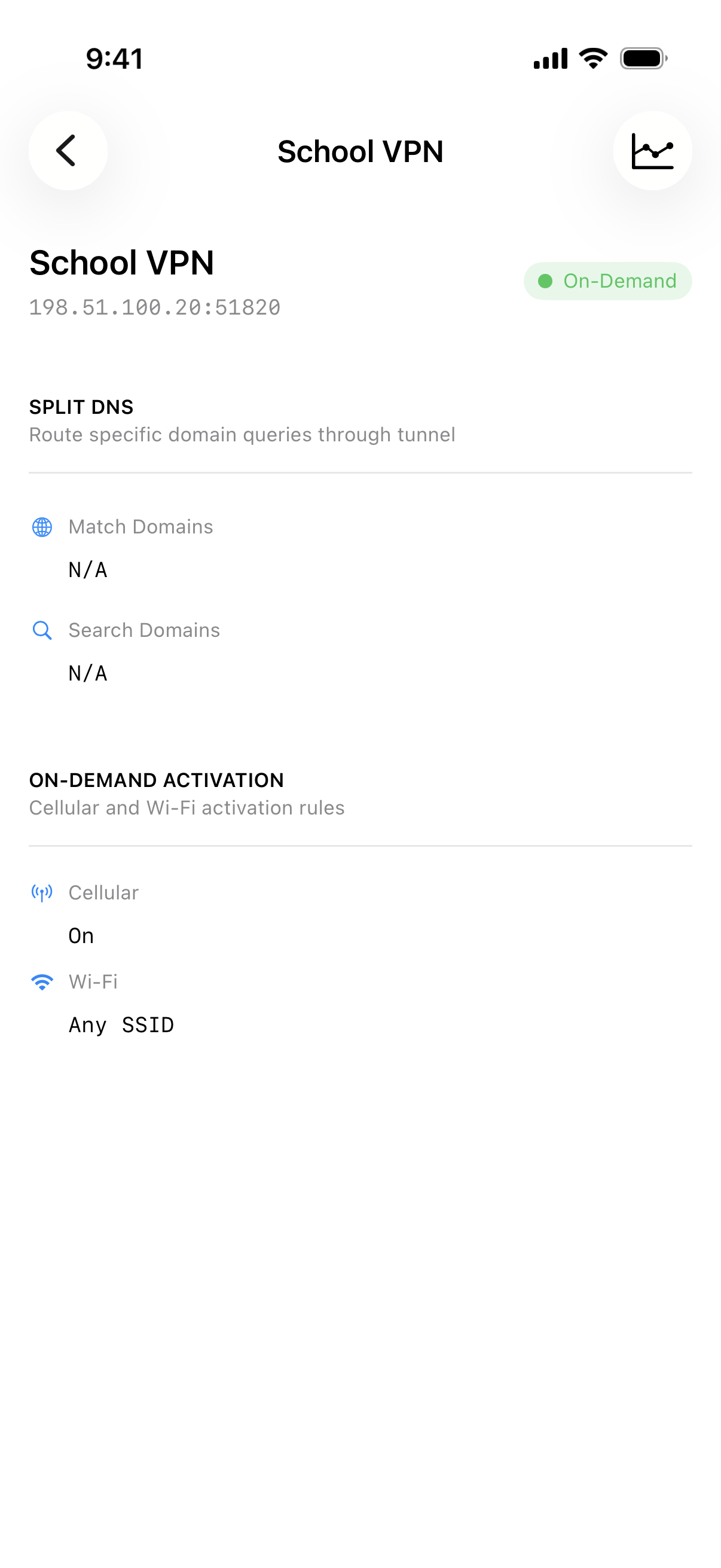
To modify or remove a managed tunnel, IT administrators must update or remove the corresponding MDM profile on the device.
Connect and Disconnect
Managed tunnels don't have a user-facing toggle control in the tunnel list or detail view. Connection state is controlled by the MDM profile and on-demand activation rules configured by the IT administrator. The app displays the current connection status but doesn't provide manual connect or disconnect actions for managed tunnels.
On-Demand Rules and Split DNS
Managed tunnels support the same on-demand activation rules and split DNS features available to app tunnels:
- On-demand rules. Auto-connect behavior based on network type (cellular, Wi-Fi) with SSID whitelist and blacklist filtering.
- Split DNS. Per-tunnel domain routing using match domains and search domains.
These settings are configured in the MDM profile and can't be changed by the user within the app.
Visibility Under Restrictions
Managed tunnels are always visible regardless of the allowManualTunnels restriction key. When allowManualTunnels is set to false, the "My Tunnels" section is hidden, but managed tunnels in the "Managed Tunnels" section remain fully visible and functional.
This ensures that organization-deployed VPN configurations are always accessible to the user, even when manual tunnel management is restricted.
Siri Shortcuts
When the app is MDM-managed (any managed configuration dictionary is present), Siri Shortcuts are always allowed. The app lock authentication requirement is bypassed for Siri Shortcut actions, enabling voice-activated tunnel control without additional prompts.
Siri Shortcuts support Connect, Disconnect, and Toggle actions for both managed and app tunnels. Siri Shortcuts require iOS 16.0 or later, macOS 13.0 or later, or visionOS 1.0 or later.