Features
Review the full set of capabilities available in Vylos across iOS, macOS, and visionOS.
Tunnel Management
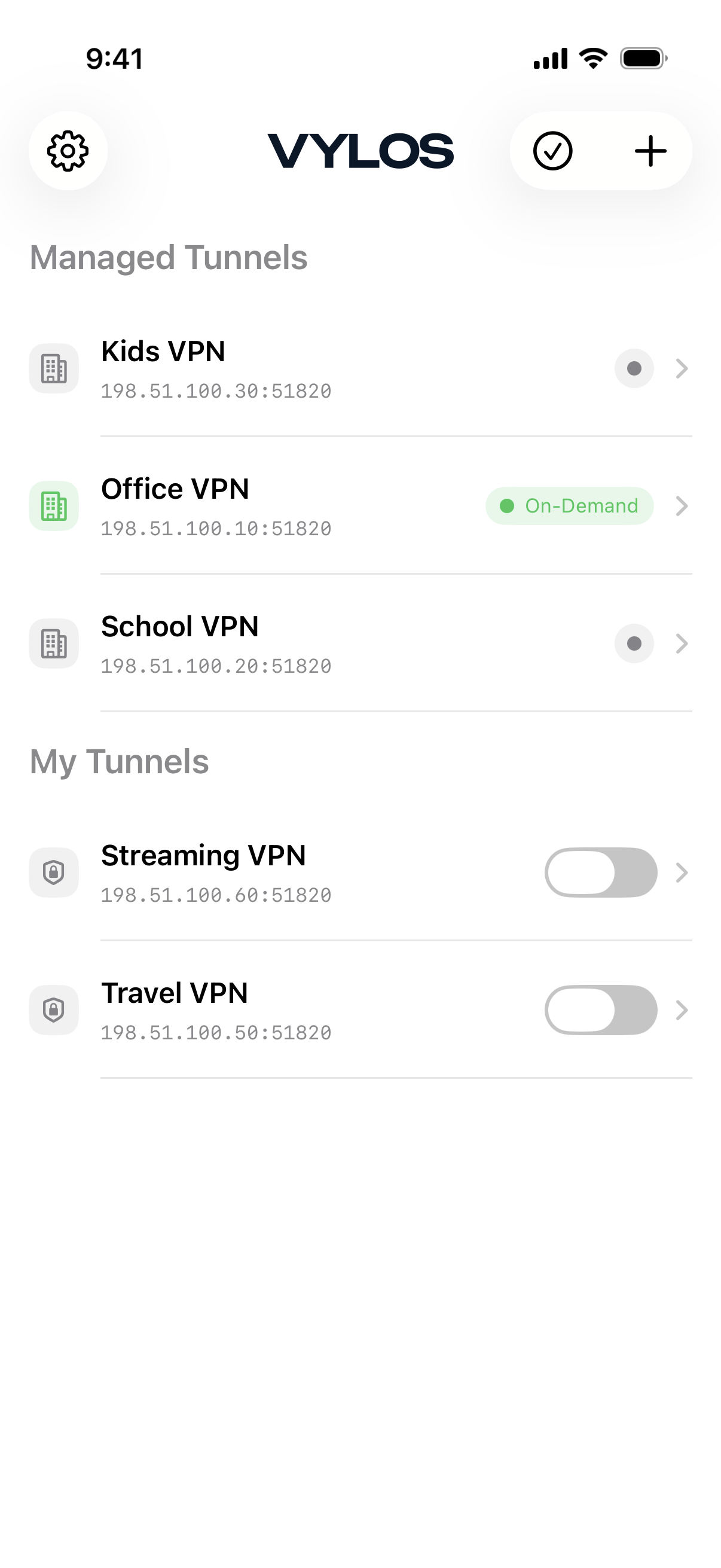
Create, import, edit, and delete WireGuard tunnel configurations. Tunnels can be added manually, from files, or by scanning QR codes (iOS), and each one stores its full WireGuard configuration plus Vylos-specific settings (on-demand rules, split DNS).
On-Demand Activation
Configure tunnels to connect automatically based on network conditions. Activation rules support cellular networks (iOS), Wi-Fi networks, and Ethernet connections (macOS).
- Wi-Fi rules include SSID whitelist and blacklist filtering.
- Clash detection warns when multiple tunnels have conflicting activation rules.
Split DNS
Configure per-tunnel domain routing with match domains and search domains. Match domains direct specific domain queries through the tunnel while search domains are appended to unqualified hostnames, giving you selective DNS routing without sending everything through the VPN.
Bandwidth Statistics
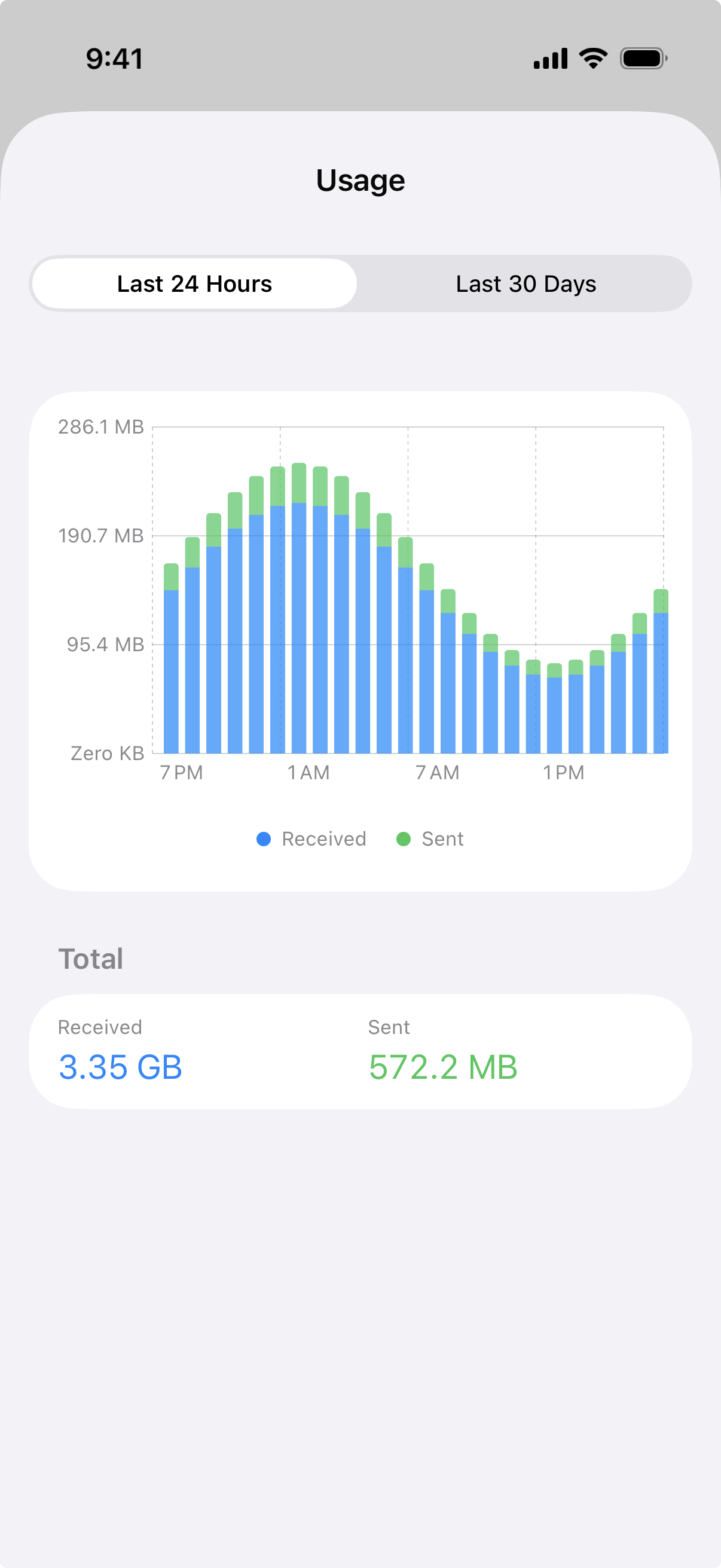
Track per-tunnel received (Rx) and transmitted (Tx) data with bar chart visualizations. Two chart views are available:
- A 24-hour view showing hourly data
- A 30-day view showing daily data
Bandwidth statistics are collected while the tunnel is active. Charts require iOS 16.0+, macOS 13.0+, or visionOS 1.0+.
App Lock
Protect the app with Face ID, Touch ID, or a time-based one-time password (TOTP) from an authenticator app. TOTP verification includes rate limiting with exponential backoff to prevent brute-force attempts.
Siri Shortcuts
Control tunnels with voice commands through Siri Shortcuts — Connect, Disconnect, and Toggle actions, each targeting a specific tunnel by name. Shortcuts can be triggered directly through Siri or added to the Shortcuts app.
Requires iOS 16.0+, macOS 13.0+, or visionOS 1.0+.
Localization
The app is available in 19 languages with full right-to-left (RTL) and left-to-right (LTR) layout support. Language can be changed within the app without modifying the device system language.
App Icon Themes
Choose from 10 app icon themes on iOS, including the default plus 9 alternate themes: Midnight, Slate, Steel, Ocean, Carbon, Arctic, Ember, Forest, and Obsidian. Alternate icons are not available on macOS or visionOS.
Appearance
Switch between System, Light, and Dark appearance modes. The System option follows the device display setting automatically.
Notifications
Receive local notifications for tunnel disconnection and reconnection events. Four configurable alert types are available, allowing control over which scenarios trigger a notification.
Import and Export
Import tunnel configurations from .conf, .vylos, and .zip files, or scan QR codes on iOS. Export tunnels as a ZIP archive with three format options, and a results screen shows the outcome of each operation.
Enterprise MDM Support
Vylos supports Apple Managed App Configuration for enterprise deployment. IT administrators can control app behavior through three MDM restriction keys and push managed tunnels into a dedicated read-only section.
- Restriction keys cover manual tunnel management, settings access, and jailbroken device blocking.
- Users can view managed tunnel status but cannot connect, disconnect, edit, or delete them.
macOS Menu Bar Integration
On macOS, Vylos provides a menu bar interface for quick tunnel access. The dropdown shows managed tunnels with status and app tunnels as clickable toggles, so you can connect and disconnect without opening the main window.
Jailbreak Detection
On iOS, the app can detect jailbroken devices and block app usage when the blockJailbrokenDevices MDM restriction is enabled. This enforces organizational security policies on managed devices.