Managed App Configuration
Configure Vylos app behavior through the standard Apple Managed App Configuration channel provided by your MDM service.
Deployment Steps
- Install or assign Vylos (
io.cbnventures.vylos) as a managed app. - Create an app-configuration dictionary in your MDM service.
- Add only the restriction, preference, and organization keys you intend to manage.
- Assign the dictionary to the target devices or users.
- Launch or foreground Vylos, then verify the values under Managed Configuration.
Removing an optional preference key returns that setting to user control. Removing the complete dictionary disables Managed App Configuration after Vylos refreshes it.
Delivery Requirements
Managed App Configuration is a dictionary assigned to the Vylos app (io.cbnventures.vylos) by MDM. Vylos reads it from Apple's standard com.apple.configuration.managed location.
This dictionary is not an installable .mobileconfig file and cannot be injected by opening a profile on the device. Use .mobileconfig Profiles when you need to install a managed VPN tunnel instead.
Your MDM may label this feature Managed App Configuration, App Configuration, Custom App Settings, or Managed App Settings. Vylos must be installed or assigned as a managed app before iOS, macOS, or visionOS can deliver the dictionary to it.
Supported Keys
Restrictions
| Key | Type | Default | Purpose |
|---|---|---|---|
allowManualTunnels | Boolean | true | Allows user-created tunnels and the actions that create, modify, or activate them. |
allowSettings | Boolean | true | Allows access to Vylos Settings. |
blockJailbrokenDevices | Boolean | false | Makes Vylos fail closed when jailbreak detection is positive on iOS. |
See Manage Restrictions for the complete behavior of each restriction and Enforce Jailbreak Policy for the fail-closed enforcement lifecycle.
Managed Preferences
| Key | Type | Accepted values | Effect |
|---|---|---|---|
notificationsEnabled | Boolean | true, 1, false, or 0 | Overrides the Vylos notification master setting and all four disconnect-notification types. It cannot grant Apple system notification permission; when notifications are enabled while in-app Settings are disabled, Vylos requests that permission from the Home screen. |
appearance | String | system, light, or dark | Forces appearance on iOS and macOS. visionOS displays the supplied value for administrative visibility but continues to use adaptive system glass. |
appIcon | String | default, midnight, slate, steel, ocean, carbon, arctic, ember, forest, or obsidian | Forces the alternate app icon on iOS. macOS and visionOS display the supplied value for administrative visibility without changing their app icon. |
Vylos preserves the user's previous choices and restores them after the administrator removes the corresponding override. An omitted or malformed optional key leaves that preference under user control, even when other managed keys remain active.
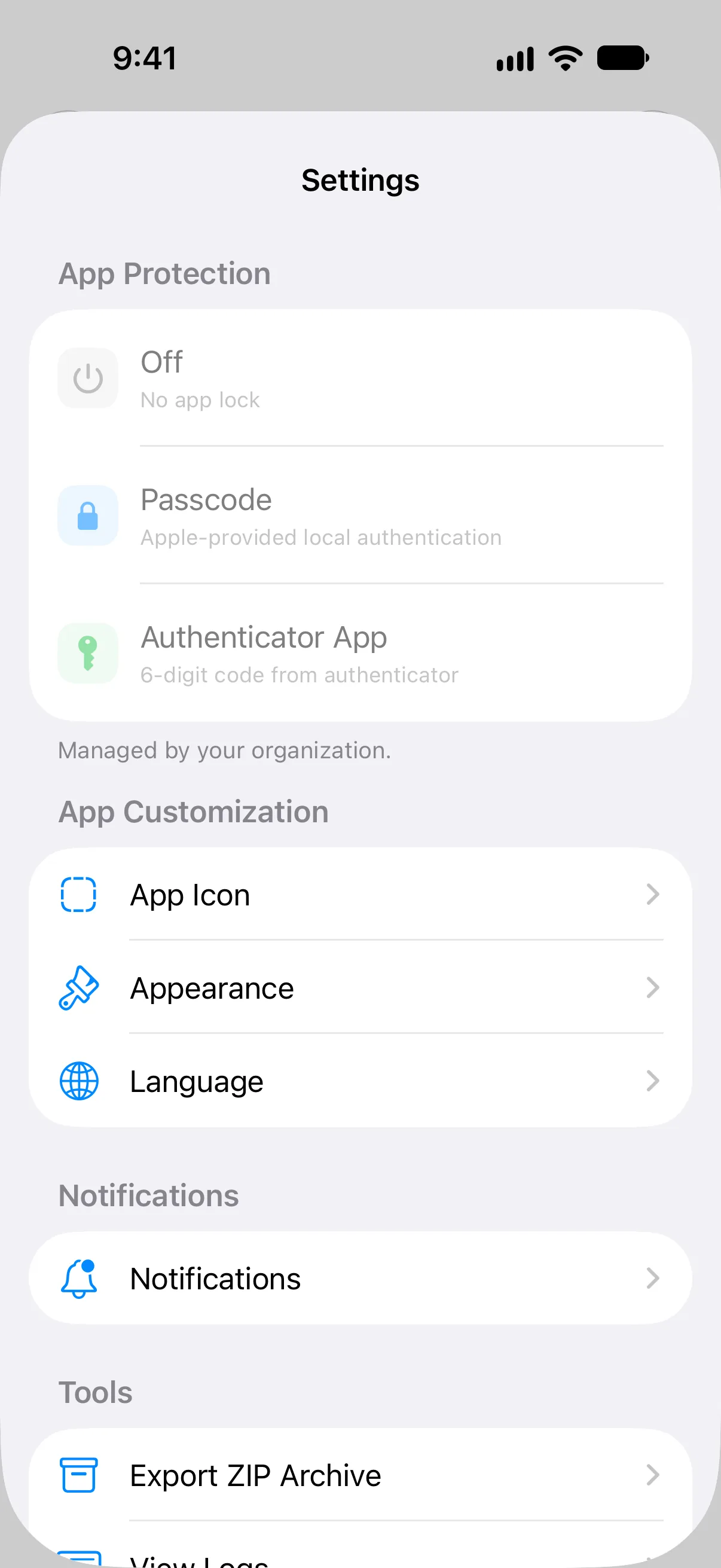
Language is not a managed Vylos preference. Users and administrators select the app language through the operating system's per-app language controls.
Organization Information
| Key | Type | Displayed as |
|---|---|---|
companyName | String | Company |
contactEmail | String | |
contactPhone | String | Phone |
contactAddress | String | Address |
Vylos trims surrounding whitespace and omits blank organization values. Supplied values appear in Managed Configuration so users know who manages the app and how to request help.
Boolean Values
Vylos accepts booleans, numbers, or strings because MDM products serialize configuration values differently. It stringifies each value, trims surrounding whitespace, and compares it without case sensitivity.
trueand1are true.falseand0are false.- A missing restriction uses its documented default.
- A missing or malformed preference override leaves the user's setting in effect.
For example, " False ", "FALSE", and the number 0 all evaluate to false. A value such as "yes" is malformed and does not silently enable a key.
Configuration Precedence
A valid managed preference overrides the corresponding manual setting for as long as that key remains present. Vylos keeps the user's saved choice separately instead of overwriting it.
Restrictions are evaluated independently. Supplying one managed key does not change the defaults of keys omitted from the dictionary.
Any non-empty managed configuration bypasses Vylos's built-in app-lock authentication step. Managed restrictions still apply, so allowManualTunnels=false continues to suspend user-created tunnels and reject their saved Shortcuts while allowSettings=false continues to block Settings.
Refresh Timing
Vylos reads the managed dictionary when the app launches and whenever its scene returns to the foreground or becomes active. Removing the dictionary restores user-controlled preferences at the next refresh.
This timing is separate from tunnel-status and statistics refreshes. Once a managed tunnel appears in Vylos, its open detail view refreshes live statistics every second just like a user-created tunnel. A newly installed or replaced VPN profile may still appear later because Apple publishes managed profiles on its own schedule; see Deploy Managed Tunnels for deployment behavior.
Complete Example
This example includes every supported key so it can serve as a copyable schema reference. Paste the property-list dictionary into an MDM editor that accepts XML, or enter the same keys and types individually in a key-value editor:
<?xml version="1.0" encoding="UTF-8"?>
<!DOCTYPE plist PUBLIC "-//Apple//DTD PLIST 1.0//EN" "http://www.apple.com/DTDs/PropertyList-1.0.dtd">
<plist version="1.0">
<dict>
    <key>allowManualTunnels</key>
    <false/>
    <key>allowSettings</key>
    <false/>
    <key>blockJailbrokenDevices</key>
    <true/>
    <key>notificationsEnabled</key>
    <true/>
    <key>appearance</key>
    <string>dark</string>
    <key>appIcon</key>
    <string>ocean</string>
    <key>companyName</key>
    <string>Example Company</string>
    <key>contactEmail</key>
    <string>[email protected]</string>
    <key>contactPhone</key>
    <string>+1 (212) 555-0100</string>
    <key>contactAddress</key>
    <string>100 Example Street, New York, NY</string>
</dict>
</plist>
The sample produces the following policy:
| Key | Example value | Result in Vylos |
|---|---|---|
allowManualTunnels | false | Hides, suspends, and prevents use of user-created tunnels. Managed tunnels remain available. |
allowSettings | false | Blocks the in-app Settings area. |
blockJailbrokenDevices | true | On iOS, blocks Vylos and its tunnels when jailbreak detection is positive. |
notificationsEnabled | true | Turns on the Vylos notification master setting and all four notification types. |
appearance | dark | Forces Dark appearance on iOS and macOS; visionOS records the value but keeps adaptive system glass. |
appIcon | ocean | Selects the Ocean icon on iOS; macOS and visionOS only report the managed value. |
companyName | Example Company | Names the managing organization in Managed Configuration. |
contactEmail | [email protected] | Shows the organization's support email. |
contactPhone | +1 (212) 555-0100 | Shows the organization's support phone number. |
contactAddress | Example address | Shows the organization's postal address. |
Remove any optional key that your organization does not intend to control. Do not send an empty string as a way to release a preference; remove its key instead.
MDM key-value editors
Use the exact key spelling and value type shown above. For example, add allowSettings as a Boolean rather than the text "false" when your MDM supports typed fields. Vylos accepts the documented string and numeric Boolean forms for consoles that serialize values differently.
What Users See
When configuration is active, Managed Configuration shows the organization first, followed by supplied restrictions and managed preferences. The screen is informational and does not let users change managed values.
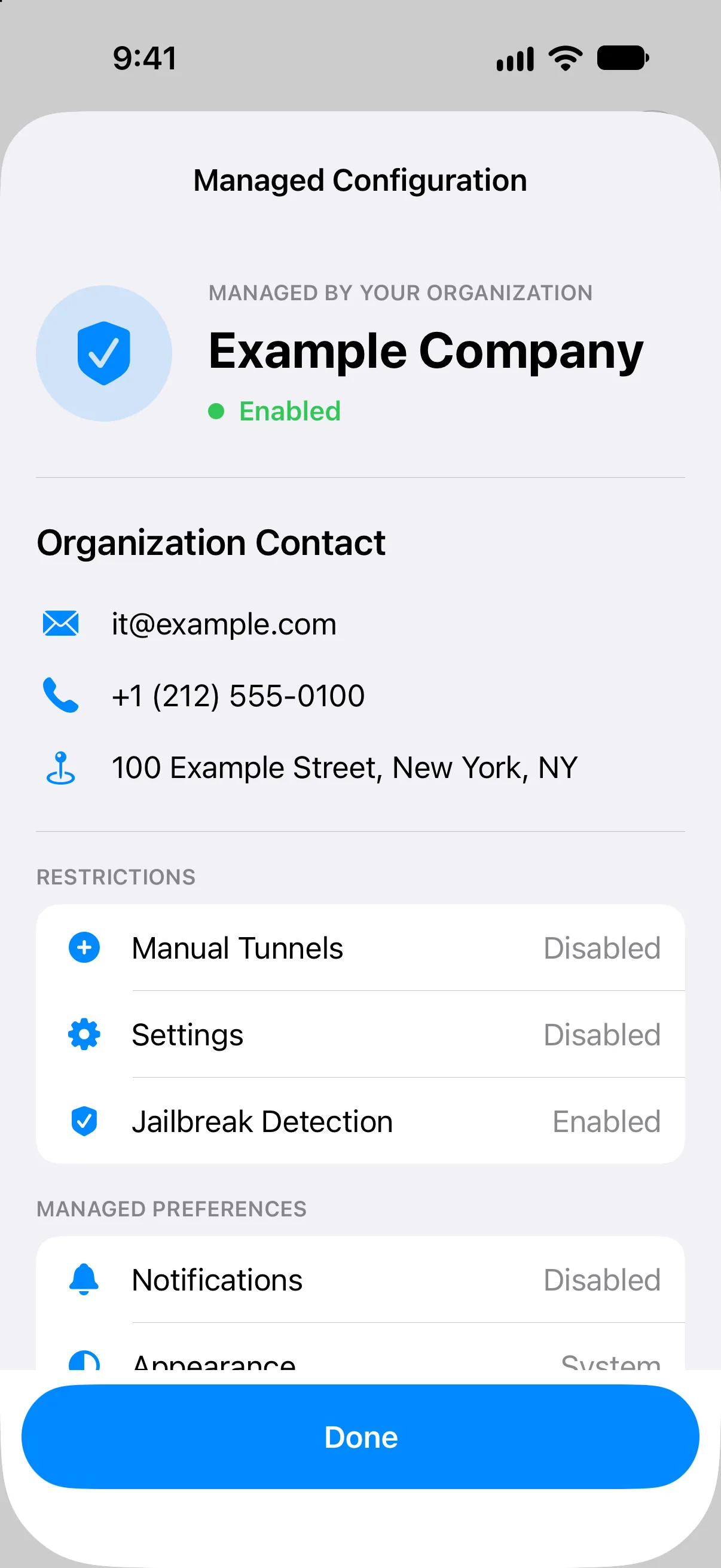
When no dictionary is present, users can open About Managed App Configuration from App Protection settings to learn how management works. A disabled status in that view does not mean a VPN configuration profile is missing; the two deployment channels are independent.